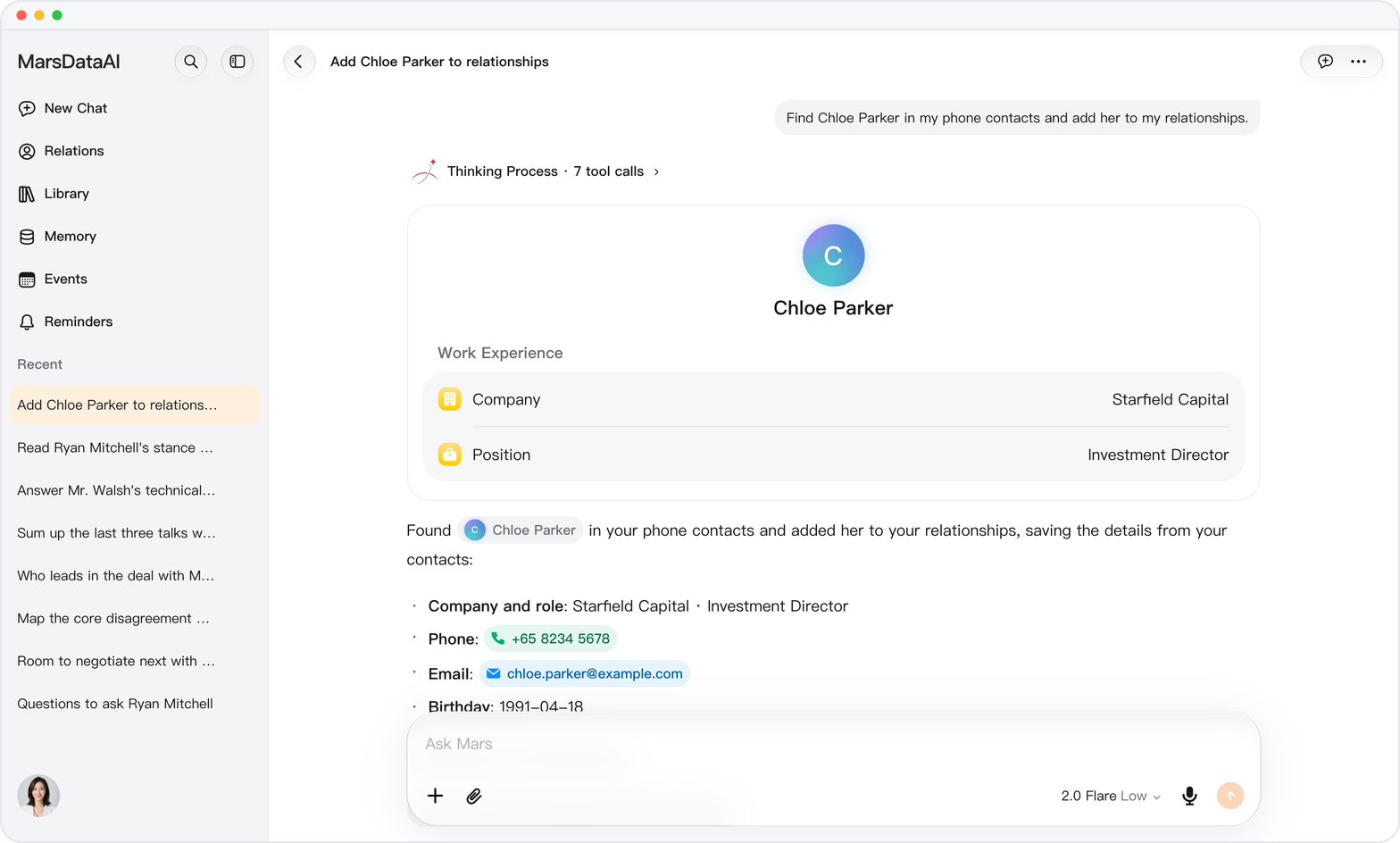
How to search iPhone contacts in YescaAI
Your iPhone contacts hold hundreds of names, but only some matter. Let YescaAI look people up in your iPhone contacts as you chat, and keep only the people you name.
Allow Contacts once under Connected Platforms in the YescaAI app on iPhone or iPad. From then on, ask in any chat, such as "find Alex in my contacts" or "what is Linda's number?", and YescaAI searches your iPhone contacts live by name, company, email or phone. When someone matters, say "add her to my relationships" and YescaAI creates that person with the name and company it read. Nothing from your address book is saved until you ask, so your relationships stay a short list you chose instead of a dump of every number you ever stored.
Allow iPhone contacts in the YescaAI app
Open the YescaAI app on your iPhone or iPad, go to Settings and choose Connected Platforms. Tap Allow next to Contacts and confirm in Apple's permission sheet; the row then moves to Authorized with a switch that is on. If you allow only some contacts, YescaAI sees only those, and an extra row, Add Accessible Contacts, opens Apple's picker so you can share more people later. The switch turns YescaAI's access off at any time, and iOS Settings can revoke the permission entirely. A browser cannot read your phone, so on the web the Contacts row only tells you to allow it on the iPhone.
Ask YescaAI to find a contact or add one
Chat with YescaAI from the iOS app and ask in plain words. YescaAI searches your iPhone contacts by name, company, email or phone and shows up to 25 matches at a time, with each person's company, title, email and phone. To keep someone, ask YescaAI to add them to your relationships: it creates the person and shows the new card in the conversation, and they appear near the top of your relationship list. Removing them works the same way: ask YescaAI to delete the person and confirm. YescaAI reads your contacts only during a chat from the iOS app with access on, so a chat on the web cannot see them.
What an added contact becomes
A person you add is a full relationship record. Ask YescaAI to prepare for a meeting with them, set a reminder to follow up, or log what you talked about from a chat screenshot. Their record collects information groups, events and conversation history over time, so the next conversation starts from what you already know. Looking someone up never saves them; only the people you ask YescaAI to add are stored, and you can edit or delete any of them later.
The people who matter reach YescaAI in one sentence each, and nobody lands in your relationships unless you named them.
See the rest of Connected Platforms & Sync in YescaAI Wiki.