A personal AI assistant that remembers your people and your goals
Most AI chats forget you the moment they end. YescaAI keeps the people, plans and goals in your life, reminds you on time and gets the work started, on the web, on iPhone and in WeChat.
A personal AI that remembers who matters and what you are working toward
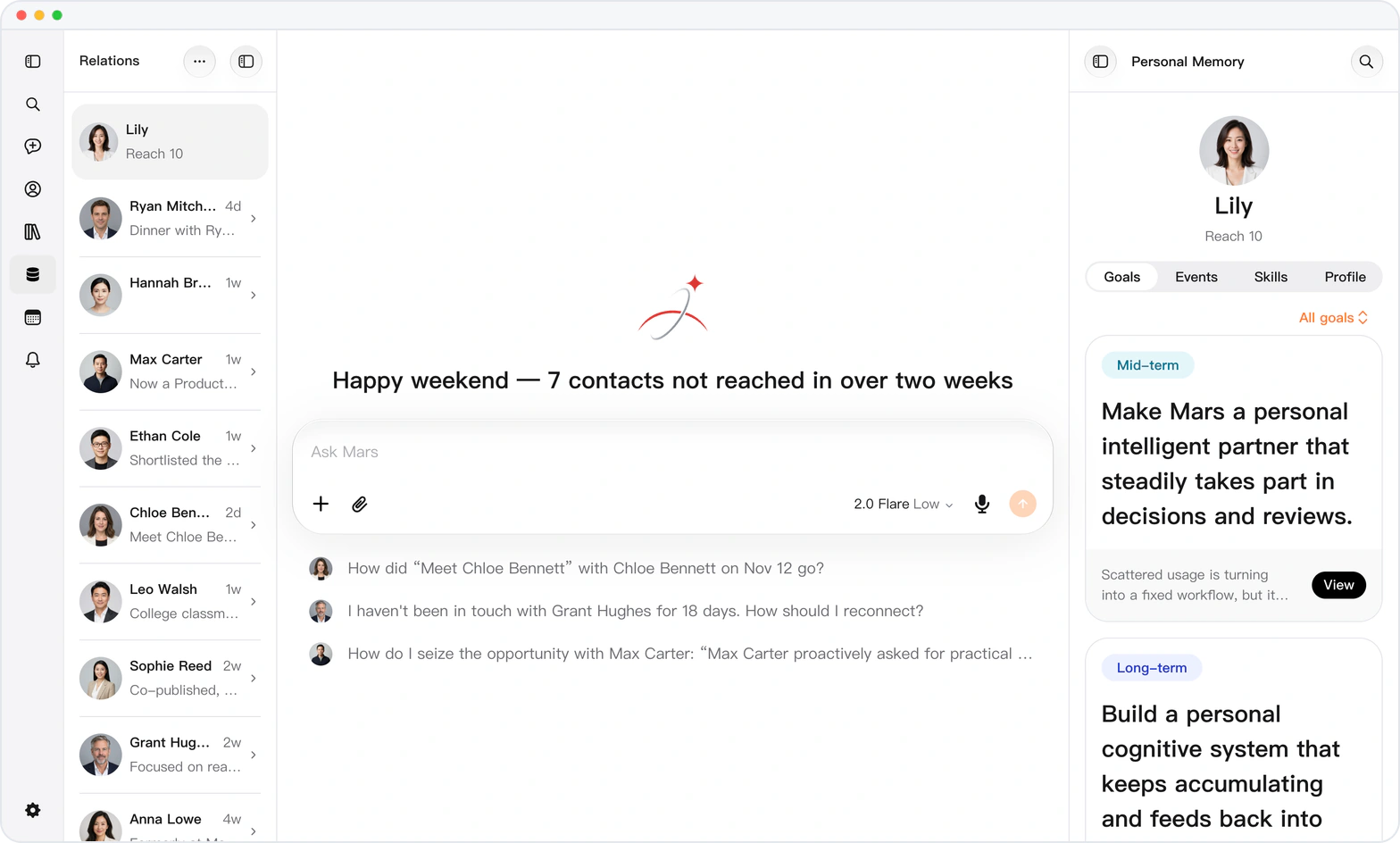
Mention someone in chat and YescaAI saves them as a relationship record. Say what you want to achieve and it becomes a goal in Personal Memory, next to your own events. A chatbot starts from zero every time; a personal AI like YescaAI answers with what it already knows about you. For example, you tell YescaAI you want to run a half marathon in March and that your friend Lena coaches runners. YescaAI saves Lena as a relationship record and the race as a goal, and when you later ask how to train, its answer starts from that goal and suggests asking Lena.
- People you mention become records you can open and edit any time
- Your goals and events have their own tabs in Personal Memory
- Suggestions that build on your real goals, not a blank slate
Reminders that start the work, not just ring
Write a reminder as a prompt, such as "prepare my weekly review". At the set time YescaAI opens a new conversation and runs it, with one of your skills if you picked one. An alarm only tells you to begin; YescaAI has already begun.
- Every reminder opens its own conversation at the time you set
- Attach a skill, such as a daily review, right in the reminder editor
- Meetings you mention in chat become events linked to everyone involved

Your assistant is one WeChat message away
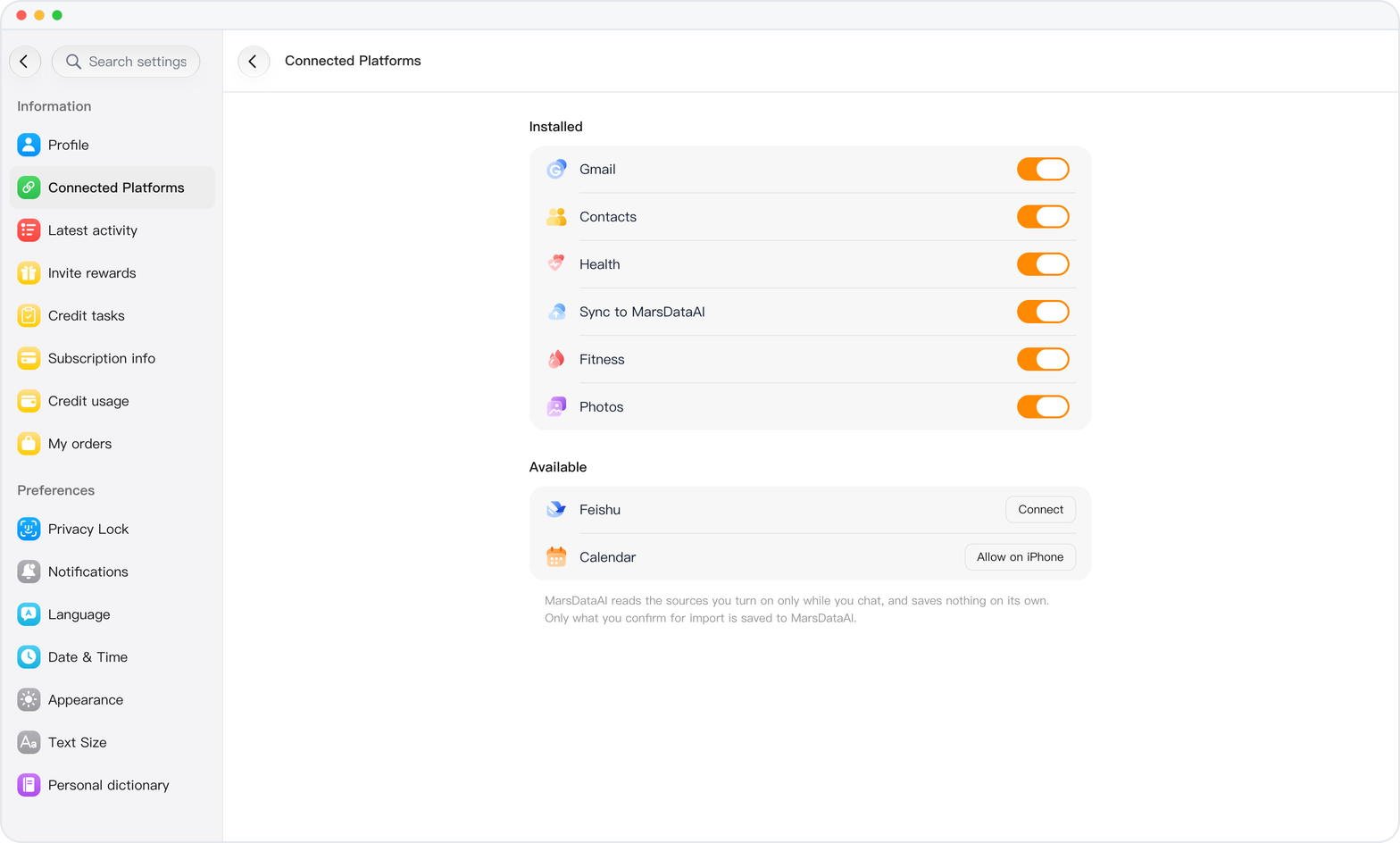
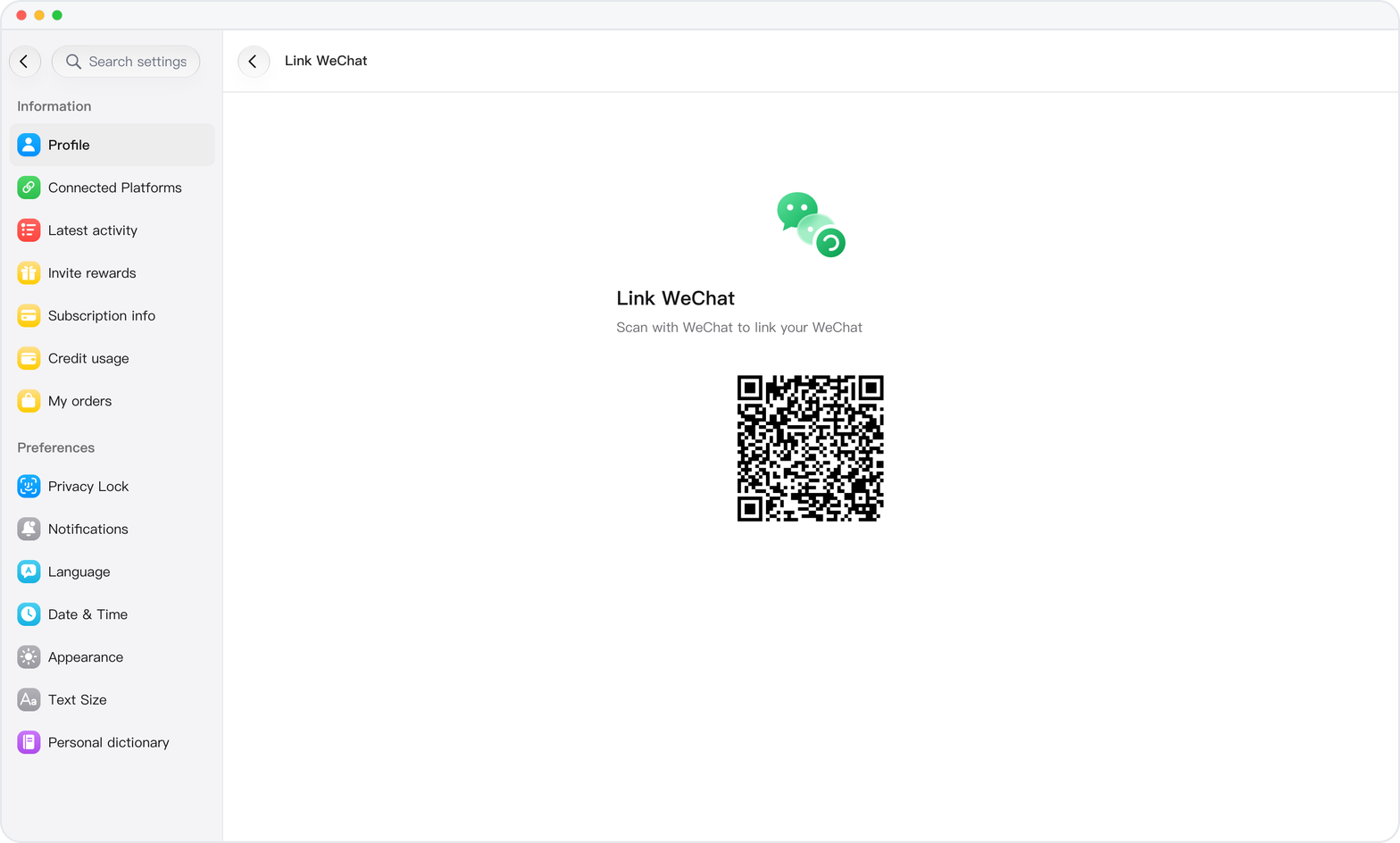
Bind WeChat with a QR code in Settings and talk to YescaAI right inside WeChat, where your event reminders can arrive too. Connect Gmail read-only and YescaAI searches and reads the mail you ask about. No extra app to watch, and nothing goes out in your name.
- Chat with YescaAI in the app you already open every day
- Turn on WeChat reminders and event alerts reach your bound WeChat
- Gmail stays read-only: YescaAI reads and drafts, you send
Text your AI assistant (an Instinct AI alternative that keeps you in control)
Invite-only agents such as Instinct AI proved how natural it feels to text your AI assistant instead of opening a dashboard, while raising privacy questions when an agent stores your logins or acts on websites in your name. YescaAI gives you that message-first workflow without handing over your accounts. For example, forward a chat screenshot or voice note to YescaAI in WeChat or on iPhone and say "save Friday's lunch with Maya and draft my reply": YescaAI links the event to Maya's profile, sets the reminder and returns a copy-ready draft, while never taking your passwords or sending messages on your behalf.
- No waitlist: message YescaAI in WeChat, on iPhone, iPad, Mac or the web with text, voice, screenshots and files
- Every person, event and promise lands in structured relationship records you can open and edit
- Read-only Gmail and zero stored site logins: YescaAI drafts and prepares, and you decide what goes out
Best AI assistant for personal life: four things to compare before you choose
Lists of the best AI assistant for personal life usually rank tools by features. For everyday personal life, four questions matter more: does it remember the people and plans you told it last week, can a reminder do the work instead of only ringing, can you reach it where you already chat, and does it ever act in your name without asking. YescaAI is built around those four. For example, you say "Mum's birthday is on 14 December and she keeps mentioning a new tea set". YescaAI saves the date and the gift idea on her record, sets a reminder for a week before that opens a conversation with gift options, and on the day drafts a birthday message for you to send.
- Memory: people, events and goals stay as records you can open and edit, not a chat that resets
- Follow-through: reminders written as prompts run at the time you set, with a skill if you pick one
- Control: Gmail is read-only and YescaAI never sends a message in your name
Set up your assistant in three steps
- Tell YescaAI about your worldMention the people, plans and goals that matter, in chat on the web or iPhone.
- Set a reminder with a promptPick a time and say what YescaAI should do when it arrives.
- Bind WeChatScan the QR code in Settings to reach YescaAI and your reminders in WeChat.
See the rest of Use cases in YescaAI Wiki.